Category Archives: Challenges

Page Builders!


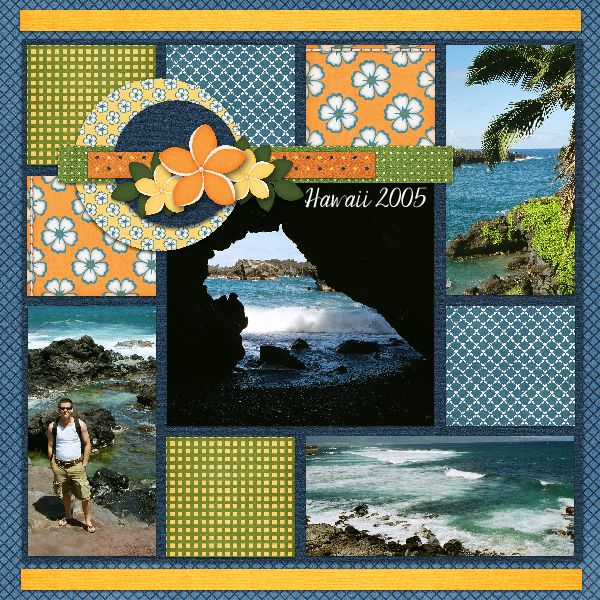
I love a challenge!  Today Barbara Plett, one of the designers from My Memories, made an offer I couldn’t refuse.  She would give me a product to try and all I had to do was create a layout using My Memories Suite and tell how I did it.  Win, win, win.
I chose Page Builder 15.  My final layout above started with the template on the right.  If you have a hard time creating a layout from scratch or you’re just in a hurry, try Page Builders.  They each come with a set of templates, in this case 4.  Each is already laid out and all you have to do is drop in the papers, elements and photos that you want to use. You can use it as is or change and rearrange any way you’d like.  To begin you create a new album with a designer template.  Scroll down the list to find the page builder.  Then you can add, delete, or rearrange the pages however you like. And if you want, you can actually let the program automatically insert the photos.  Personally I like to do that myself.
You can use elements from any kit.  I decided to use a couple of kits from Albums to Remember because they were great for these photos.  I used All in a Day and Hawaii.  The font is Janda Elegant Handwriting. 
As you can see, I made a few changes to the overall layout.  First I deleted the lower, right photo box & expanded the one beside it to accommodate the wider photo I wanted to use. Then I grouped all the clustered elements so I could easily move them, just hold the Ctrl key and select each item in the cluster, then choose arrange and group.   When you’re happy with the arrangement, with the group selected choose arrange and ungroup.  Then I inserted the papers & elements I wanted to use.  It’s easy to do.  To insert a photo or paper you just click a photo box or shape and fill it with the photo or paper you choose.  I filled some of the “photo boxes” with papers I liked.  I zoomed in on them so you could see the pattern better.  The 2 boxes with orange background and white/blue flowers were actually banners.  I just zoomed in and used the area I wanted.  You can check out this and other Page Builders at http://www.mymemories.com/store/designers/Albums_to_Remember.
DigiScrapping Tips Challenge 6/4

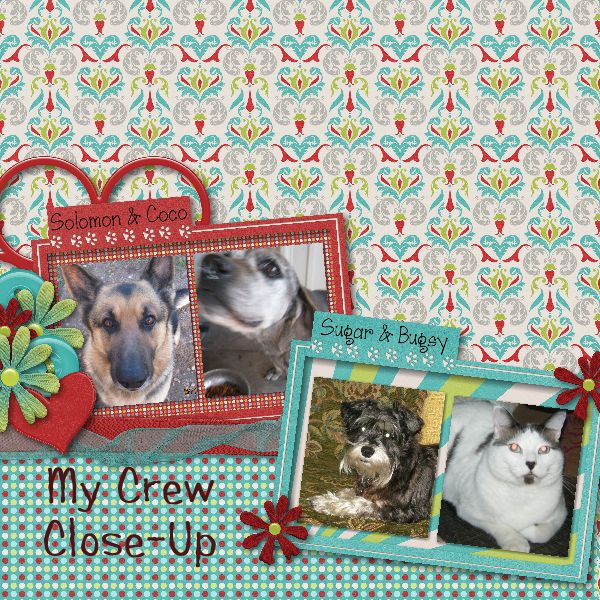
My challenge page today is of My Crew-Close Up.  These guys make me happy (most of the time).  They love me all the time & I love them too.  Solomon & Coco are my outside security.  Sugar is inside security & door bell while Bugsy takes care of pest control!  They keep me company while hubby is traveling on business.  The kit I used is Fur’Ever Love (MarieH Designs), font is Janda Scrapgirl Dots.

DigiScrappingTips Challenge 6/3

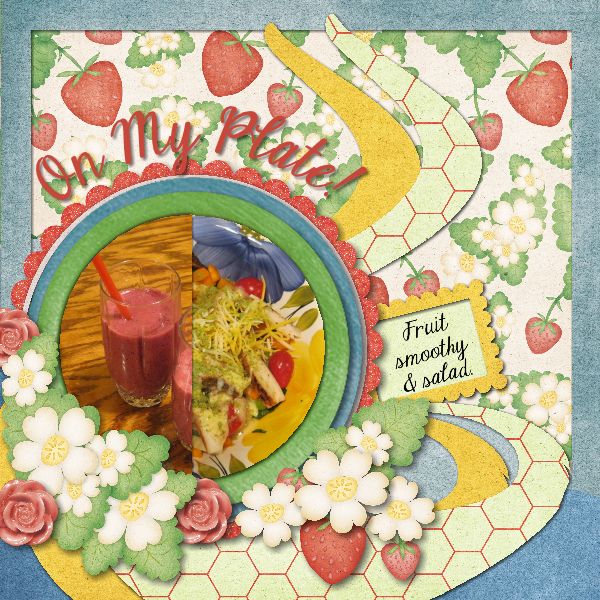
The challenge word/thought for today is “On My Plate”.  I decided to go rather literally 🙂  I’ve made the commitment to try to add more fruits, vegetables, raw nuts & seeds to my diet.   For breakfast every morning I have a fruit smoothy.  This gives me the 4-5 fruit servings I should have every day which I probably wouldn’t get any other way.  Plus I get my dairy serving as well.  I try to eat a salad most days but if I miss I still get vegies in the cabbage/vegie soup I have every day for lunch!  Some people would get tired of the same thing every day but so far I still love it. So here is my entry for “On My Plate”.  The kit I used for this layout is Strawberry Fields by Danielle Engebretson.

Comparing a template with or without borders

I love challenges and here’s the latest.  I made these 2 pages using the same template from Lindsay Jane Designs, one with a border and one without.  I used all the same papers and elements so I could get a good comparison. The kit I used is by CollabGirls Creations-Summer Dream.  It’s hard for me to decide.  I really like the way the one with borders look but I do like that the pictures are larger without the border.  Do you have a preference?  Leave me a comment and let me know what you think.

MyMemories Passes 16,000 fans on Facebook

Still haven’t tried MyMemories Suite?  They passed 16,000 fans & are having alot of give aways.  Like them on facebook & play along.  If you still haven’t tried it well remember to use my code STMMMS57865 to save $10 off the software & get another $10 towards purchases in their store.

Here’s a page I made for their current challenge celebrating 16,000 fans…

Font challenge

Do you like challenges? I do! Every month there are 5 or 6 challenges posted on the website @ RAKscraps dot com. One of the challenges is a “FONT” challenge. Here is a page I did for this challenge. The font is Kingthings Eggypeg this month. You can do a page for the font challenge please post it in the RAKscraps font challenge gallery.  I’d love to see it & you can win prizes! The kit is part of the Spring Spectacular called Lullaby Girl.  This is the HUGE Megakit  “Spring Spectacular” from 3Scrapateers.