Category Archives: Announcements

Get My Free eBook for International Scrapbook Day

In honor of International Scrapbook Day (iNSD) May 3rd, you can get my eBook Scrapbook Layout Sketches Volume 2 free.  If you are new to scrapbooking, or you’d just like some new layout ideas, you are going to find loads of help in this book.  The book will be available all day from midnight PST to midnight PST on May 3rd.  Click here to get your free book.
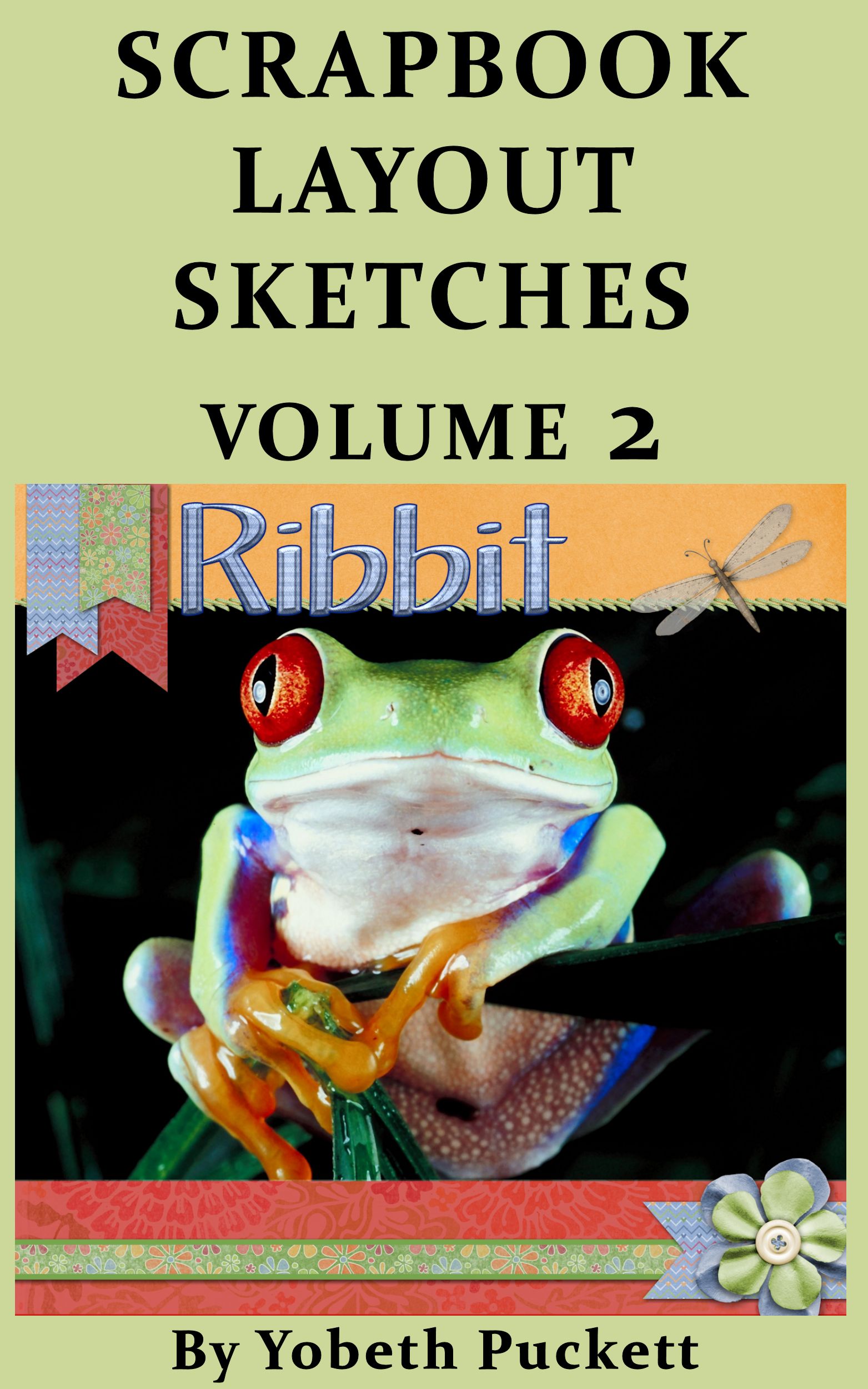
Scrapbook Layout Sketches Volume 2


If you find my book helpful and the layouts are appealing, please take a minute to give me a 5 star Amazon rating.  It will let me know I’m on the right track.  If you have any ideas for content you’d like to see in my next eBook you can comment on your review or on this post.

Thank you for the opportunity to let me serve you.
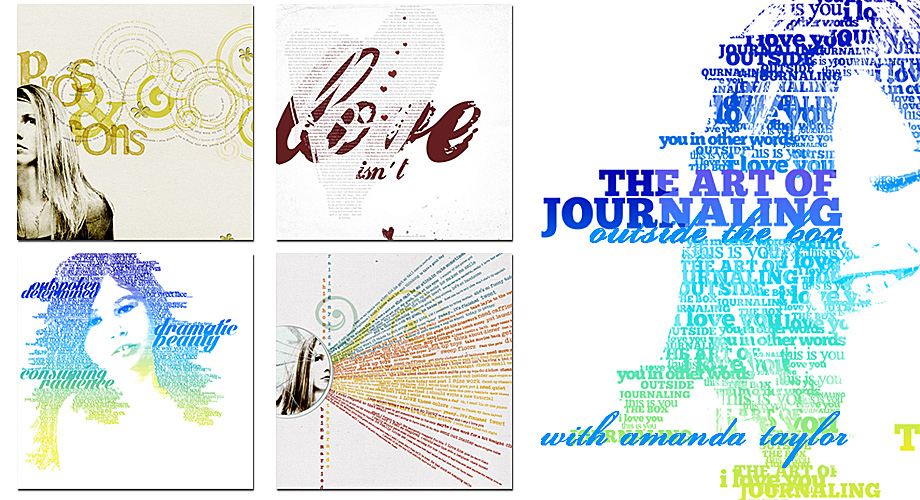
Take Your Scrapping Skills to a Whole New Level with Art Journaling!

I LOVE art journaling, it is so creative and looks amazing!  It will take you scrapping skills to a whole new level.  In case you’re not sure what I’m talking about I’ve included some examples below of some awesome art journaling techniques.

art journaling

I’ve been looking for a tutorial for quite a while and now I’m so happy to have found a class “The Art of Journaling”.  As you can tell, from the examples above, this is not your everyday, run of the mill journaling.  This is art in and of itself.  So let me tell you more about the class.

art journaling class

Click this link Art of Journaling by Amanda Taylor to register.  This workshop starts March 3. It is actually three classes using Photoshop Elements 10+ or Photoshop CS4+.  It is skill level beginner to intermediate so you don’t need to be an expert in the software but you do need to be familiar with the product.  The workshop starts in 10 days so hurry on over and sign up.  I think it will be a lot of fun and it will definitely be an asset to your scrapbooking layout designs.  If you want to learn journaling as an art form click here.

Finally! Let the My Memories Suite v5 Reviews Begin

My Memories Suite finally released an update to fix the bugs in version 5.  It’s very frustrating because every year My Memories Suite has a new release but they leave it to their customers to identify any problems associated with the release.  In the past I’ve downloaded the new version as soon as it’s available but then I’d have to spend a lot of time working with technical support resolving problems.  So when the new version was released, in November 2013, I resisted the urge to download it immediately.  I read about the issues that others were experiencing and waited for the fixes.

My Memories Suite V5-Available-Now

While I was waiting I couldn’t write any new tutorials.  I knew the software had a whole new look so if I had written any new tutorials they’d be rendered obsolete if only because of the new look.  During that time I couldn’t recommend the software either knowing there were many issues to be resolved.  And since I hadn’t downloaded the new version I couldn’t answer any questions or assist with any problems.  I was very frustrated!

As soon as I heard the update had been released I downloaded the software and started testing it.  I do like the new look and there are some new features I’m looking forward to trying.  In the next few weeks I’ll be working on updating tutorials and reviewing the software.  I’ve already updated one tutorial on color blocking using the photo-tiling feature. There wasn’t much to do since that feature still works the same.  Check out the tutorial here.

Since you can now export pages and albums in pdf format I’m testing that with the color blocking tutorial.  I’d love to know what you think.  Please make comments on this post or on my Facebook page at facebook.com/Scraptious to let me know if you like it or not.

MyMemories Suite Giveaway Day!

Hallelujah, MyMemories Suite software giveaway day has arrived!  Today, October 26, is the day to get your free, yes free, digital scrapbooking software.

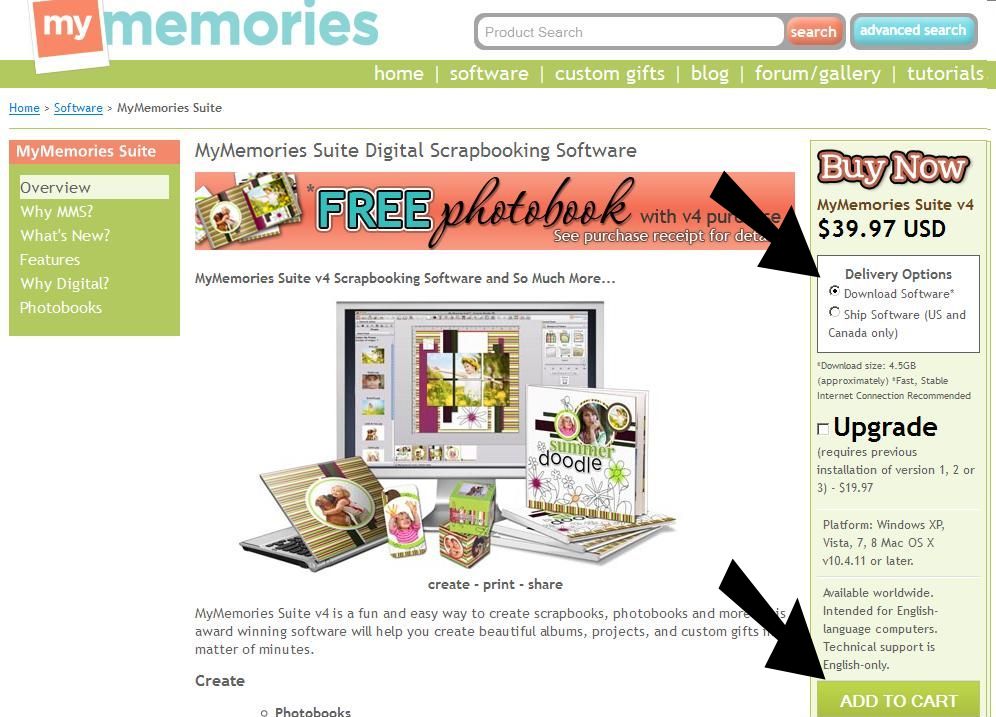
Click here to download the full version of MyMemories Suite v4. On the right side of the page you’ll see “Buy Now” MyMemories Suite version 4.  Be sure “Download Software” is the chosen delivery option since the code is only good for the download option.  Scroll down and click the green “Add to Cart” button, do NOT select “Try It Free”.


MMS Purchase

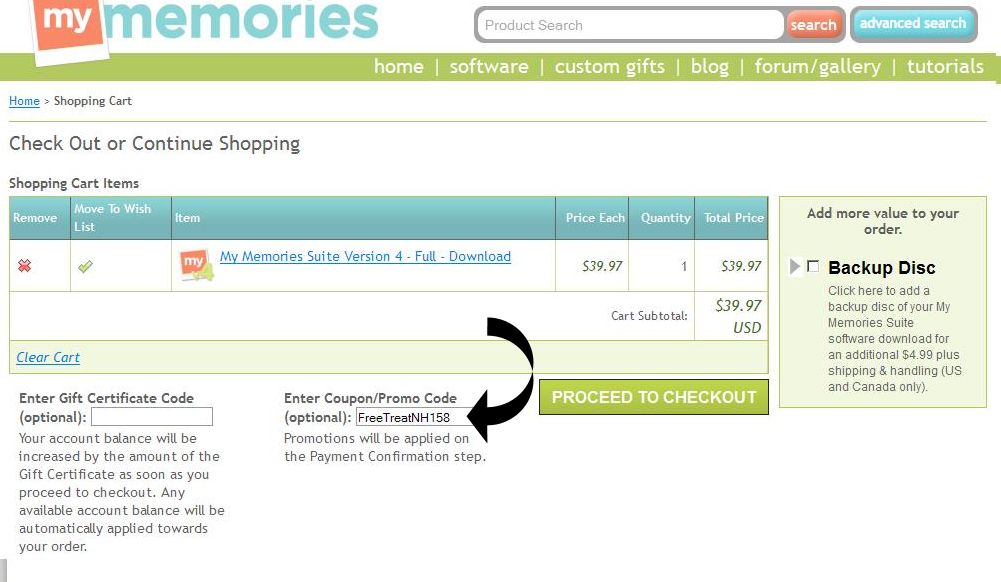
You’ll enter the coupon code to get it free on the next page.  Copy this code FreeTreatNH158 and paste it into the “Enter Coupon/Promo Code” area before checking out.  Be sure to copy/paste so there are no typing errors.  This code is good for today only.   Don’t delay, today’s the day.

MMS Coupon CodeYou will receive a confirming email with download instructions.  Have fun!

MyMemories Software Giveaway Coming Soon

Keep your eyes open because I have a MyMemories Suite software giveaway coming soon!  Yes, you read that right!  If you have been wanting to try one of the top digital scrapbooking software programs available you are in for a treat.  In just a couple of days I will be posting a code that will allow you to get MyMemories Suite software absolutely free.  You may be asking, “What’s the catch?”.  There is none.  Here’s the skinny.

  1. I’ll give you a coupon code.
  2. It won’t cost you a thing.
  3. You’ll be able to download directly to your computer.
  4. You’ll get a full version of the software NOT a “try me” version.
  5. You’ll get the latest version of MyMemories Suite software.  Yes, you’ll get version 4.
  6. No hoops to jump through.  It’s a gift from me to you!

Check back daily for the coupon code to get your FREE download of MyMemories Suite v4.

MyMemories Suite

Get Ready for iNSD

It’s time to get ready for iNSD which is less than two weeks away.  If you’re new to digital scrapbooking you may be wondering what iNSD is all about.  It’s party time in the digi scrap world.  Although iNSD stands for interNational Scrapbooking Day it actually lasts several days.  The “day” is November 2 this year so it’s not too late to get ready.

As part of the celebration there will be loads of freebies from stores and designers worldwide.  They will also have loads of stuff you can buy of course.  My advice is to take some time now to organize your current stash so you will be prepared for the onslaught.  If you’re not uber organized already you’ll want to read Sharon Horswill’s article here.  Even if you are organized already there are some great ideas you may want to incorporate.

I create a temporary folder such as iNSD Nov 2013.  Then download everything I think I’ll use into that folder.  Then I go back later to deal with organization.  That’s when everything gets a second look and more consideration.  Some things are keepers and get filed appropriately and some things go into the trash bin.

So before you download another thing, spend some time sorting through what you already have.  You have a little over a week to get ready for iNSD.  Have fun!

Gifts

New Kindle eBook Free Weekend

This weekend I’m giving away free copies of my new Kindle eBook “Scrapbook Layout Sketches Volume 2”.  Yes, that’s right, you have the opportunity to pick it up for free.  After you’ve had the chance to look through, I’d appreciate it if you’d write a review on Amazon.  It’s not required, of course, but I would love to get your feedback and it will help others that may be looking for a book of sketches. Click on the cover image to be redirected to Amazon.

If you’re in the UK click this link Scrapbook Layout Sketches Volume 2

If you love it, and I hope you do, you may want to get Scrapbook Layout Sketches Volume 1. It’s not free but it’s got a lot of good information for only $2.99 US.

Scrapbook Layout Sketches Vol 2

Yes, it’s true, Scrapbook Layout Sketches Volume 2 is now available.  My second volume is full of sketches that will save you time by showing you exactly how to get the job done.  You can follow the sketches precisely or if you’re a more experienced scrapper you will have a foundation to build on.  You will find it here.

Scrapbook Layout Sketches Volume 2

August Word Challenge List

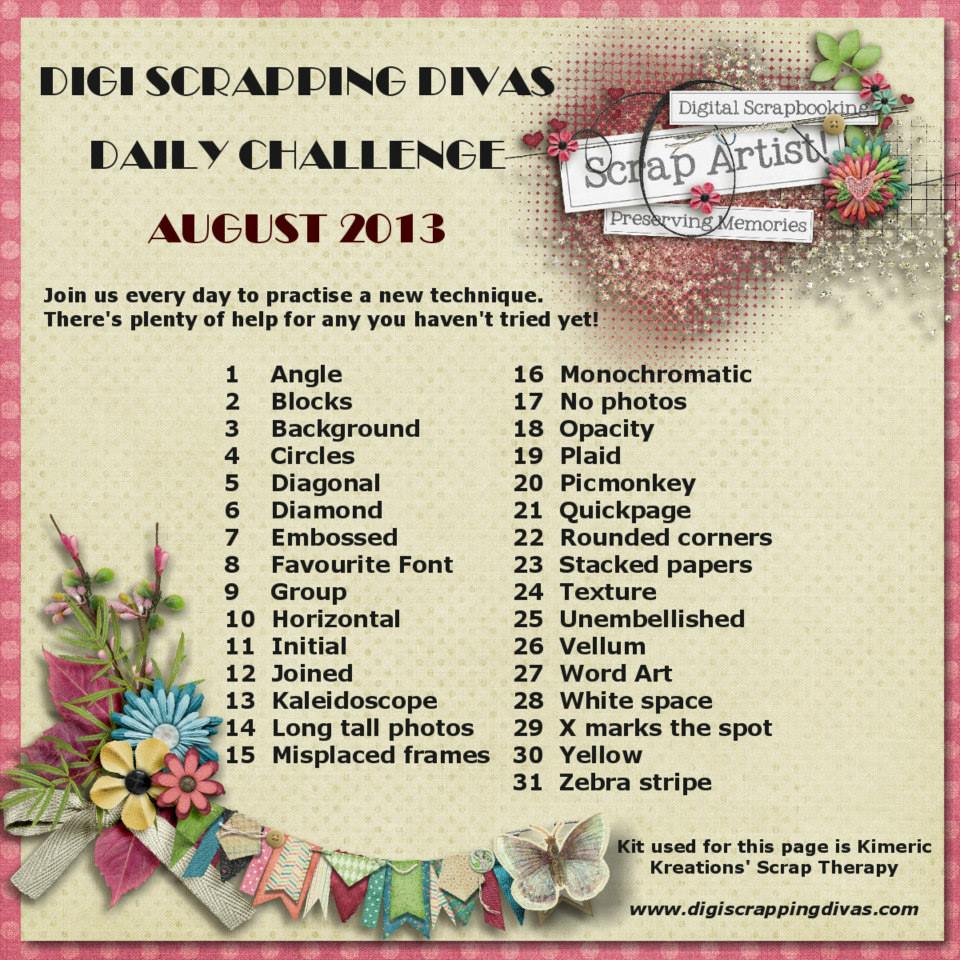
This month our August Word Challenge List is a bit different.  Instead of random words we’ve got an A to Z list of techniques to use.  We’ve gotten a lot of positive feedback already and can’t wait to see what everyone comes up with.  So without further ado here is the word challenge list for August.  Have fun!

August Word List